
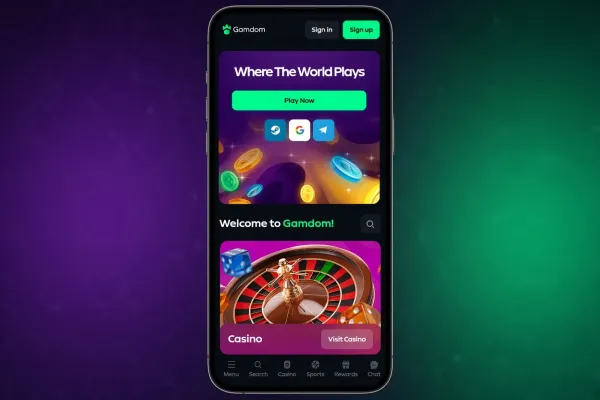

Gamdom has no Android app, so the way to play on an Android phone is the mobile site in Chrome. You open the site, log in or create an account, and play from the same browser you use for everything else. Live casino games are part of the range.
What you can do on an Android phone

Through the mobile site you reach the casino from your phone. Live casino games are part of the range, and you can log in or sign up from the browser. The login page covers getting back into an existing account.
The main difference from a computer is the screen. Tables, menus and game windows are smaller, so a game with many features or a live table asks for more scrolling and more careful taps. Playing in landscape gives you a wider view of a game, which suits live dealer tables.
There are no features that exist only on a phone. What you can do on a phone is what the mobile site offers, which includes the live casino. If you are interested in the welcome offer, the welcome bonus page shows its terms.
Playing without an app

Because there is no Android app, there is nothing to install and no app store listing to search for. The steps above the text show how to open the site in Chrome and add a shortcut to the home screen.
A shortcut is only a link to the site, not a downloaded program. It saves you typing the address and gives one-tap access.
Be careful with anything that claims to be a Gamdom app for Android. An APK file from a website, a message or a social media post is not from Gamdom, and installing apps from unknown sources puts your phone and your account details at risk. If you want the app experience, the shortcut is the safe route. Keep Chrome updated through the normal update process of your phone, since the site runs inside the browser and depends on it.
Android phones differ in screen size and browser settings, so the site may look different on yours from the way it does on another handset. Open it once on your own phone and check that the pages, the games and the account area load properly before you deposit anything.
Practical points on an Android phone

Lock your phone with a passcode or fingerprint and do not leave it unattended while you are logged in. If other people use the phone, log out when you finish and do not save your password in a way that others can open.
Live games stream video, so they use more mobile data than browsing a page. If your data allowance is limited, a stable wifi connection at home is a better choice than a public network, which is a poor place to enter account details.
If the account offers deposit limits and time-outs, set them from your phone before you play. A limit you choose in advance is easier to keep than one you try to set in the middle of a session.